In the U.S., organizations typically replace their learning management system (LMS) about every three to six years. But switching platforms is more than a purchasing decision. Migration means moving thousands of learner records, years of compliance data, and multiple integrations. The timeline usually depends less on feature comparison and more on how complex that move will be.
With tighter budgets and leaner teams, migration must be controlled and efficient. Here’s how to switch platforms without wasting time, money, or internal resources.
The Hidden Cost Model of LMS Migration
When organizations estimate migration cost, they typically calculate license fees, implementation fees, and IT hours. Those are obvious items. Now think about the internal resources that the switch requires.
For a mid-sized company with approximately 2,000 learners, migration typically involves:
- Exporting and cleaning user records
- Verifying years of completion history
- Rebuilding certification logic
- Reconfiguring role permissions
- Reconnecting Human Resources Information Systems (HRIS) and Single Sign-On (SSO) Systems
- Recreating executive dashboards
So if three team members spend five to eight hours per week on migration over 10 weeks, that adds up to 150 to 240 internal labor hours before IT is even involved. While teams focus on migration, new programs and content updates slow down, and those hours translate into measurable productivity loss.
5 Steps to Switch an LMS the Smart Way
Understanding this cost structure changes the evaluation criteria. The most affordable LMS is not necessarily the one with the lowest subscription fee but the one that minimizes internal workload during transition.
To migrate efficiently, follow these simple steps.
1. Reduce scope before you reduce cost.
The fastest way to cut migration hours is to reduce what you move.
Before transferring anything, do a bit of a clean-up:
- Archive courses that haven’t been assigned in 12 to 18 months.
- Remove duplicate departments or outdated roles.
- Deactivate obsolete automation rules.
- Separate compliance-critical records from inactive data.
A structured approach to LMS migration prevents teams from transferring legacy clutter into a new system, thus significantly shortening testing time.
2. Lock down reporting requirements early.
Reporting problems usually surface after launch, when historical data doesn’t match legacy dashboards. Fixing those gaps and discrepancies adds unexpected admin hours.
To avoid this, take care of the following before migration:
- Identify the three to five reports leadership uses most often.
- Document required data fields.
- Validate mapping before launch.
If reporting limitations triggered the search for a new system, review modern LMS features carefully. Migration is a great opportunity to simplify dashboards and eliminate workarounds. Fewer reporting patches mean fewer internal hours later.
3. Validate integrations.
Course content usually transfers smoothly. Integrations take longer because they rely on business rules such as HR-triggered enrollments, role-based access, and data syncs. These must be rebuilt and tested in the new system to prevent automation failures.
Modern LMS platforms connect to:
- HRIS systems
- SSO providers
- Payroll tools
- Performance platforms
Before committing to a vendor, review its LMS integrations framework. Confirm that API access, pre-built connectors, and onboarding support are available. If integrations are agreed upon early, testing is faster, and IT involvement decreases.
4. Find a vendor that actively manages the migration.
Look for vendors that provide structured, hands-on migration support to take most of the switching work off your team’s plate.
iSpring LMS is a good example of an eLearning provider that includes structured migration assistance right from the initial contact.
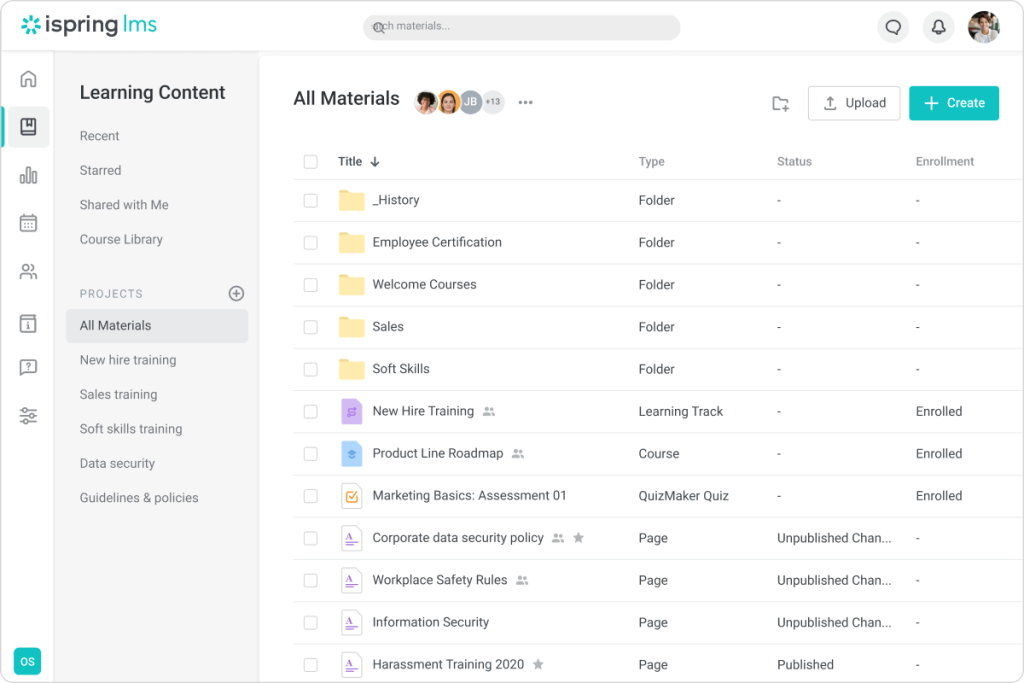
You can host unlimited files in iSpring LMS, eliminating storage constraints as a migration concern.
iSpring’s experts work directly with customers to transfer user databases, course libraries, training history, certificates, and organizational structures. Their technical team handles the migration at no extra cost, which means your Learning and Development (L&D), IT, or HR department doesn’t have to spend weeks managing the switch.
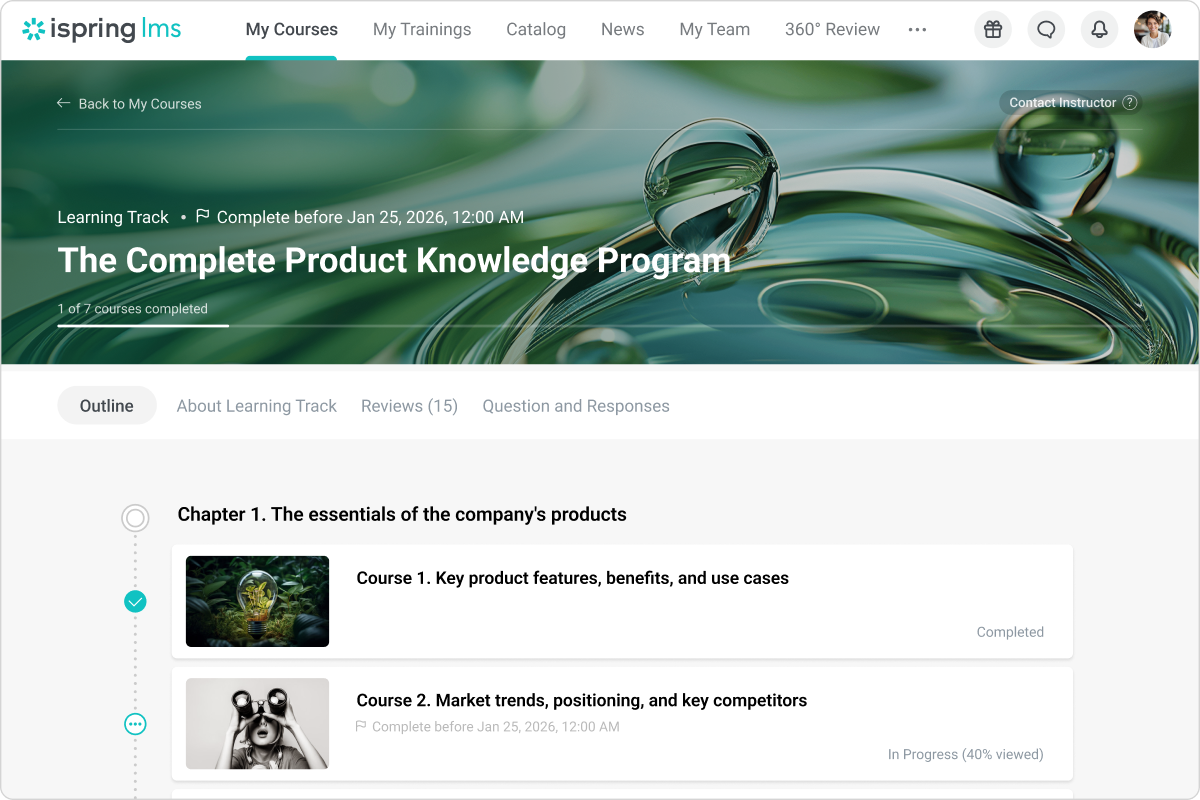
After migration, you’ll have the entire training system organized neatly inside the LMS’s intuitive user interface.
5. Use the migration to improve training efficiency.
Migration provides you with a rare opportunity to rethink how training is assigned, tracked, and managed. Instead of rebuilding manual workarounds, use the new environment to simplify administration. If the new LMS doesn’t reduce manual workload after launch, the switch is probably not optimal.
That’s why it’s important to go for an LMS that supports automation rules, flexible role management, and configurable reporting tools.
With iSpring LMS, you can take advantage of:
- Automated enrollment rules based on job role, department, or group
- Built-in certification tracking with automatic renewal reminders
- Clear role hierarchies that simplify access control and reporting
- Customizable dashboards that replace scattered manual reports
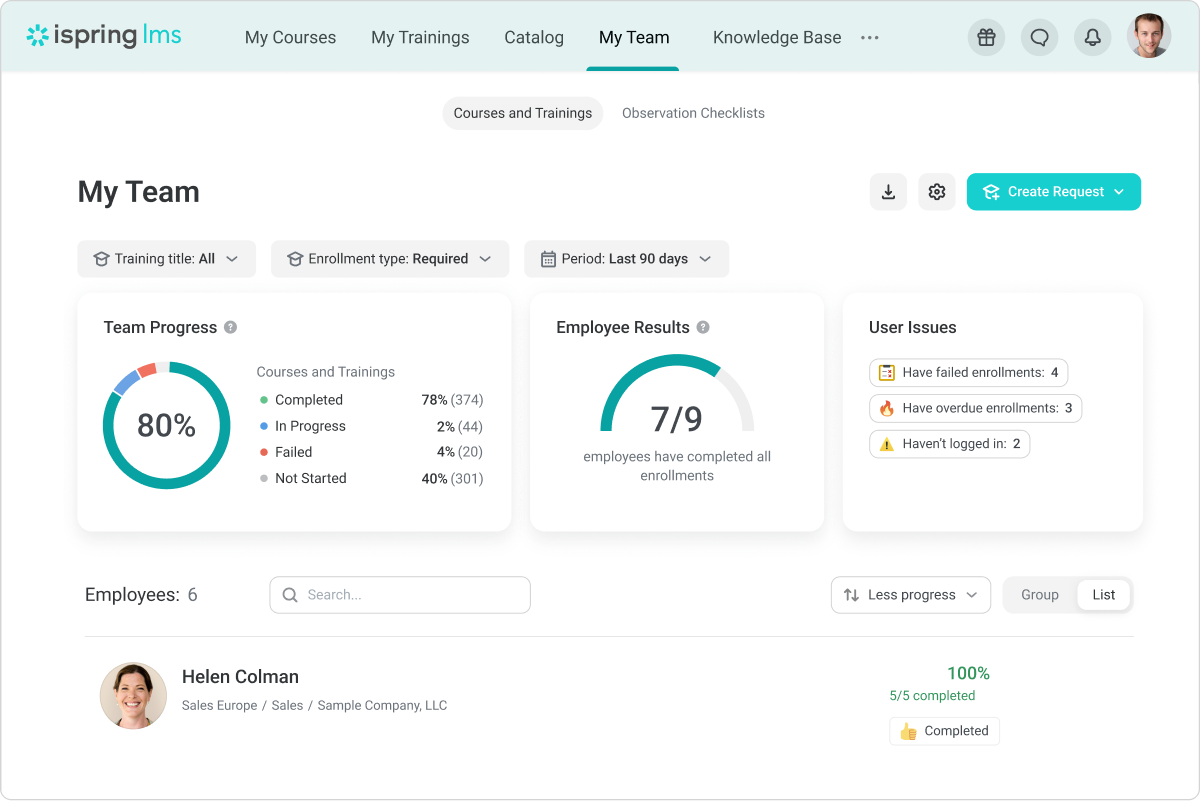
Supervisor Dashboard in iSpring LMS.
All these capabilities allow you to configure the system once and let it run smoothly without heavy manual input.
Final Word
Hidden migration costs show up as additional staff time, delayed initiatives, and more extensive IT involvement. The goal of an LMS switch should go beyond stacking new training features and include cutting those losses. Remember to limit scope, validate integrations early, and shift the technical workload to the vendor.
And, of course, choose a system that simplifies administration instead of recreating the same complexity in a new interface.