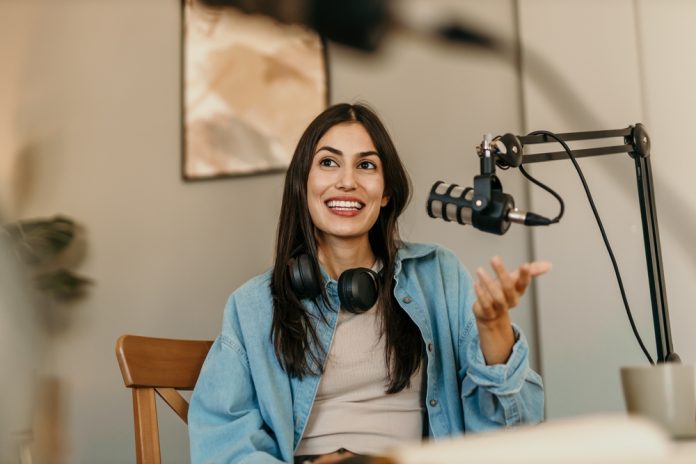
Part 1 covered the strategic decision to launch, content planning, and technical setup for your training podcast. Now, Part 2 delivers the hands-on execution roadmap—an enhanced, detailed step-by-step process that starts with final confirmation of topics, flows through recording, editing, hosting, distribution, data-driven analysis, marketing, and real-world pitfalls.
This isn’t theory; it’s the battle-tested workflow we’ve used to coach thousands of speakers and trainers. Batch-record 3-4 episodes monthly for biweekly releases—to consistently compound listener retention by 3x and fuel algorithm growth on platforms like Spotify and Apple.
10-Step Execution Process
Step 1: Final Topic Selection & Validation
Finalize topics: Refine your Part 1 outlines into a compelling 3-6-month content arc that addresses specific L&D pain points.
Series: Lay out each episode in a series.
Call to Action (CTA): End each with a clear CTA, such as “Download my cheat sheet and slide rescue template below.”
Validate before recording: Run a 5-question lightning survey, such as a Microsoft Forms or Slack poll—an audience-first approach that boosts episode completion by 25 percent. For example: Rank your top 3 pains:
- Audience drop-offs?
- Accent barriers in global teams?
- Flat delivery?
- Q&A disasters?
- Storytelling flops?”
Use the responses to prioritize your content…
Step 2: Plans & Outlines
Outlines: Build detailed outlines, not word-for-word scripts (which kill conversational flow). Script intros/outros verbatim for polish; use bullets for body.
Structure: Hook (30 seconds)—”If you’ve ever lost a listener mid-sentence, here’s the trick to holding attention.” Body (15 minutes): 3 battle-tested takeaways with stories: “Technique #1: Eye contact that holds your listener.” CTA (30 seconds): “Grab the tips sheet in the show notes.”
For guests: Send 48-hour agendas, pre-recording checklists, and outlines for each session. Batch-plan 4-5 episodes in one Google Doc session.
Step 3: Thorough Pre-Production Prep
Solo rehearsal: Run a test twice at full-volume, timing 18-25 minutes total. Record yourself—yes, listen critically (most trainers cringe but improve 30 percent instantly).
Guest coaching: 5-minute prep call—”Microphone properly placed for you? Quiet room verified?” Assign topics or segments per outline for flow (sent in advance).
Share your tip sheet: lip trills/tongue twisters for warm-up; energy checklist (“Smile while speaking—lifts voice 10 percent”); no noisy clothing; backup phone recorder. Measure their room noise (extraneous sounds) remotely via a test clip with their microphone.
Step 4: Precision Recording Session
2-Track recording: Use a 2-track setup (separate host/guest channels in Audacity or Zoom’s individual recordings) to make editing 4x faster.
Consistent volume: Target -12 dB/-19 LUFS (mono) or -16 LUFS (stereo) peaks for consistent volume levels. Watch the sound wave in your program; it will show yellow when nearing too loud, and red when you’re at risk of clipping.
Speaking: Maintain conversational energy by varying prosody (rhythm builds trust, intonation prevents monotone). Allow natural pauses—edit dead air later.
Microphone placement and speaking: Set the microphone in front of you and off-axis (angled slightly) to eliminate breath pops that erode authority.
End strong: Record CTA twice to test options.
Step 5: Host & Guest Performance
Although you want to sound conversational, you really are performing, so you and your guest will want to:
- Enunciate clearly (especially names)
- Normal speech is 140-160 words per minute (not too fast)
- Allow for mistakes or flubs (restate and edit the mistake out later)
- Use your authentic voice (avoid nervous pitch rise)
- Slow down on the first word of every sentence (to maintain even pacing)
- Use pauses effectively (they build authority)
- Follow your outline (guest receives in advance) and be ready to adapt
- Avoid speaking quirks like upspeak (sounds like a question)
- Keep it comfortable—your listeners will hear it.
Step 6: Editing Workflow
Primary recording and editing tools: Audacity (free), Descript (currently $12/month trainer/podcaster favorite), and Riverside (made for podcasting. free for 2 hours/month, $18+ after).
Things you can do with audio software:
- Cut out mistakes, “ums” and “likes,” dead air (over 2 seconds), and tangents. (Some programs have AI that does this automatically.)
- Even out voice volume levels between a host and guest (normalize).
- Use free music (Music Archive) to make interesting intros and outros.
- Use music or sound effects (whoosh) for subtle transitions.
- Reduce room noise levels. (Some, but not all, can be removed.)
- Polish guest audio instantly. (Use various tools.)
- Clarify voices and sound with EQ processing (tailor to create clarity and warmth).
- Export as an mp3 file for playing anywhere.
Step 7: Accessibility & Final Quality Control
Transcripts: Use Otter.ai free tier AI (auto-generates write-up) or similar program; upload to LMS.
Chapter markers example: “At 0:00 mark intro Hook, at 2:30 Tip #1, at 15:20 CTA.”
Show notes: Timestamps + links + downloadable handouts (“Prosody cheat sheet PDF”).
Triple-test: Measure audio clarity on car speakers (commute simulation), earbuds (office), Zoom meeting rooms, and phone speaker (harsh reveal). Goal: Crystal-clear even in noisy environments—no echo, balanced voices, engaging pace.
Step 8: Hosting & Smart Distribution
Platforms: Buzzsprout or Libsyn ($12/month)—auto-submits to Spotify, Apple, Google, Amazon, plus 30+ directories for L&D discoverability.
Corporate: Private RSS via Supercast ($29/month) for LMS gating (Moodle, Articulate Rise embeds). Share via intranet/newsletters. Submit to directories in Week 1, such as the L&D Podcast Network and Training Industry feeds.
Step 9: Aggressive Multi-Channel Marketing
Internal: 60-second teaser clips posted to Slack/Teams (“Webinar drop-off fix in Episode 3”), embedded in LMS course wrappers, newsletter blasts.
External: LinkedIn carousels (3-slide: Hook/Clip/CTA), guest cross-promotion (“David shared my change story!”), L&D Facebook groups/Reddit.
Canva pro tip: Simple templates with your image and a bold quote get 3x the click-through rate. Cross-post 30-second YouTube clips for SEO.
Step 10: Core Metrics for Data-Driven Analysis & Iteration
Downloads: Shoot for 500+ by Episode 6 or pivot topics or format.
Retention: Did you get 70 percent completion minimum? If under, look at pacing, etc.
Qualitative: Quarterly 3-question surveys (“1-10 actionable? More case? “) via Google Forms link in show notes.
Advanced: Google Analytics (template downloads), Buzzsprout locations.
Benchmarks: Ep6 Protocol: Less than 500 downloads? Add stories. Less than 70 percent retention? Performance and sound audit. Track weekly vs. benchmarks.
Final Execution Checklist & 90-Day Scale Plan
Pre-Launch:
- 4 episodes fully edited/transcribed?
- Audio passes -65 dB + 3-device test?
- Private RSS + directory submissions live?
- 3 teaser clips scheduled (Slack/LinkedIn)?
90-Day Roadmap:
- Episodes 1-5: Prove concept (500+ downloads).
- Episodes 6-10: Hire editor.
- Episodes 11-20: Add video clips.
- Episodes 21+: Listener Q&A live episodes.
Critical Pitfalls: Lessons from 50+ Failed L&D Podcasts
| Critical Pitfalls: Lessons from 50+ Failed L&D Podcasts (Olatunji, 2024) | ||
| Pitfall | Impact | Fix |
| Episodes over 25 minutes | 40 percent drop-off | Keep it to 15-20 minutes. |
| Inconsistency | Kills subscribers | Biweekly calendar; batch 5-10 |
| Info Dumps | Bores listeners | Stories over statistics |
| Untested Audio | Subscription drops | Double-check on 3 devices |
| No Feedback | Content drift | 3-question surveys |
| Visual-Heavy | Poor fit | PDF handouts |
| Time Sink | Solo burnout | Fiverr editors $50/ep |
| No Marketing | Zero discoverability | Proactive Week 1 push |
Ready for Launch?
You’ve got the complete execution system. Record Episode 1 today using this exact workflow—your data will perfect it. Transform L&D with crystal-clear, prosody-powered training podcasts that position you as the go-to innovator.
References
1. Michael Olatunji, “10 Reasons Your L&D Podcasts Will Fail,” Training Journal (February 2024).